Tip Of The Week

Showing posts with label Google Forms. Show all posts

Sunday, July 17, 2016

Google Forms To Rock Your World!


bit.ly/Formsthatrock
How To Get Started With Google Forms
Google Forms is a great way to collect and organize digital assignments, links, or other data.


Start With This Form


Copy the Results
________________________________________________________________

Forms For Writing

Use Autocrat to Create Personalized Docs From Form Responses Or send out Certificates as uneditible PDF's 

________________________________________________________________

Challenge
Uploading To My maps
Where would you go tomorrow if I gave you $10,000,000,000 Today?


Create a Form
With 2 multiple choice, checkbox, or scale questions to help you screen your guests.

Example
Will you go surfing with me?
On a scale of 1-10 how well do you cook?


Then complete this form to enter the $10,000,000,000 contest

The Map
View Locations Here
Location Results
________________________________________________________________

Other Awesome Add-Ons
Form Mule - Automate E-mail Responses
Form Ranger - Workshop Signups
Eliminator - Eliminate choices once selected
Flubaroo - Auto Score Responses
Doctopus - Push Docs out to students
Goobric - Interactive Rubric.
Site Maestro - Push out student websites

Presentation Feedback


Wednesday, August 26, 2015

Back to School HyperDoc Form


Back to School HyperDoc Form
a writing activity to get to know your students

Welcome back to school! I'm looking forward to a year of creating and sharing new ideas and applications for integrating technology into pieces of your curricumum. As you start back with your students, I wanted to share a lesson that you can use with just a little bit of work on your part. 


Engage your students to share a little about themselves without to many teacher led instructions using this amazing video by John Spencer and a Google Form to package student responses. 


Unfortunately, you can not share the form I created with your students or you won't receive their replies. You also can not make a copy of the form I created, but below are some instructions on how to recreate it yourself. 

  1. Screen Shot 2015-08-25 at 8.38.21 PM.png
    Start by creating a new form. Not sure how? Click HERE for a video tutorial to help. I did not make all questions mandatory in case students didn’t want to share 5 things.
  1. Screen Shot 2015-08-25 at 9.26.09 PM.pngTo add the image, take a screenshot of it or right click to copy. (Or create your own!) Tutorial video on how to take a screenshot using Snagit                                                
    Screen Shot 2015-08-25 at 9.36.39 PM.png
  1. To insert an image or a video in a form, click on add item and select either image or video. Once you put the item in, click on it to resize. You can also center it. Add a section header for more instructions if you want. 
  2. HERE is a link to John Spencer’s awesome video.
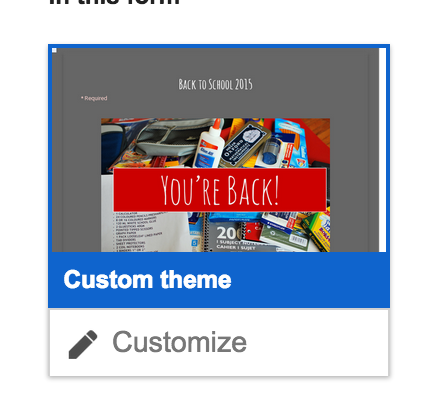
  3. To change the look of the form, select Change Theme then Customize. Play around with it to get the look you want.
  4. To see your final form, click View Live Form and share that link with you students. You will find the responses in your drive.

Saturday, March 14, 2015

Readers Theater and Student Created Book Recommendations #ELA

Have you ever thought about having students digitally review novels they have read and cataloging their comments? Ask students to review their books by creating a digital presentation or video, collect their links on a google form and share the results with your class. Students can then use that resource as they decide what book they might be interested in reading next. 


Saturday, October 25, 2014

Writing with Forms and Autocrat

Have you ever tried to use Google Forms to help support student writing? 

Forms are a great way to help students organize writing. You can create the outline or graphic organizer using a form. Students complete the form and answer questions like: What's your claim, what evidence are you using, explain your reasoning, write a short conclusion... Teachers can then run the Autocrat add on to turn the form responses into a personalized essay outline for students. As a teacher, it makes it easy to look at specific elements like reasoning by going through the reasoning column on the spreadsheet (as opposed to reading the entire piece). If you add comments in another column before you run autocrat students can have feedback added to their outline. 


Create a Form


View the columns on the spreadsheet that you want. 


Run Autocrat and create a student created personalized outline for each student

Tuesday, September 9, 2014

5 Things Every Teacher Needs To Know About Google Forms
________________________________________

The Bottom Line - Forms will change your world! They can help you collect and organize data, assignments, or student information. These are five of the basic, but most useful features that I believe forms offers teachers. 

1) How To Collect Digital Projects Using Google Forms
Forms is a great way to collect any digital assignment. It makes it easy to organize and access web links.

2) How to share and send your Google Form
Do you know how to share your form so your students can access it?

3) Using summary of responses to share live feedback
The summary feature automatically makes visual representations of the data collected from your form. Use it to poll your students and display their responses.

4) How can students edit their responses in Forms
Did you assign a form in class and students did not have time to finish it? Learn how to easily access forms that have already been submitted and change your responses.
5) Compare forms and identify students that did not complete it.
Want to learn how to quickly identify who did not complete the form? It is a little bit geeky, but  its not too hard.

Getting Geeky With Forms
Want to use the data in your form to send E-mails, merge documents, or push items out to students? As you continue to explore Google Forms, check out some of the Add Ons which allows the user to run a script that will tell the form to do something. Former teacher and Administrator Andrew Stillman has created many scripts with New Visions Cloud Lab. Find out more about them here.


posts